To evaluate a new port simulator vendor in 2026, prioritize physics engine quality, equipment coverage, and the vendor’s track record with long-term software support over price alone. The simulator market has matured significantly, which means the gap between leading vendors and average ones is now measurable in operator performance outcomes, not just feature lists. The questions below walk through every dimension worth examining before you commit.
What criteria actually separate good port simulators from average ones?
The single most important differentiator is the quality of the physics engine underneath the simulator. A good port simulator replicates the mechanical, hydraulic, and load-dynamic behaviour of real equipment in real time. Average simulators use simplified motion models that look convincing on screen but fail to teach operators how a crane or reach stacker actually responds under load, in wind, or on uneven ground.
Beyond physics fidelity, strong vendors distinguish themselves on these criteria:
- Scenario depth: The ability to simulate varied weather, shift conditions, and equipment faults, not just standard sunny-day operations.
- Instructor tooling: A dedicated instructor station that allows real-time intervention, fault injection, and detailed post-session reporting.
- Hardware scalability: A product range that covers desktop training through full-cab immersive simulators so your investment can grow with your programme.
- Software update cadence: Regular updates that reflect real-world equipment changes and new training methodologies.
If you are replacing an ageing system, use your existing simulator’s shortcomings as a checklist. Where did it fail your instructors or trainees? Those pain points are exactly where a prospective vendor should demonstrate clear superiority.
How realistic does a port simulator need to be to improve operator performance?
A port simulator needs to be realistic enough that skills transfer directly to the real machine on day one. This means physics behaviour must be accurate, not just visually convincing. Operators who train on systems with simplified load dynamics or unrealistic swing behaviour often develop habits they have to unlearn when they reach the actual equipment, which negates much of the training value.
The practical threshold for effective transfer is a simulator that accurately models the specific equipment the trainee will operate, including its hydraulic response, load pendulum behaviour, and the sensory feedback of movement. Motion platforms contribute meaningfully here. A three-degree-of-freedom platform, for example, introduces the vestibular cues that help operators build genuine muscle memory rather than purely visual reactions.
Realism also extends to the environment. Simulating rain, fog, night operations, and high-wind conditions prepares operators for the full range of situations they will face in a live terminal, not just ideal conditions. When evaluating vendors, ask to see scenario libraries and confirm that environmental variables are physics-driven rather than scripted visual overlays.
What hardware configurations are available for port training simulators?
Port training simulator hardware typically comes in three tiers, each suited to a different training context and budget. Understanding the tiers helps you match investment to actual training need rather than over- or under-specifying your setup.
Desktop simulators
Desktop simulators are compact, portable units designed for classroom environments and introductory training. They are cost-effective, easy to deploy, and require a small footprint, making them straightforward to transport between sites. They support group training and high trainee throughput, and are well suited to initial familiarisation, theoretical exercises, and programmes where budget or space is constrained.
Professional platform simulators
Mid-range professional simulators combine multi-screen setups with motion platforms, typically offering three degrees of freedom. This tier delivers realistic physical feedback, supports muscle memory development, and is the most common choice for ongoing operator training programmes. Mevea simulator solutions offer this configuration as the Mevea Pro, which supports between three and ten screens and uses physics-based motion to replicate real equipment feel.
Full-cab simulators
Full-scale cab simulators replicate the operator’s actual working environment at 1:1 scale, providing maximum immersion. These are particularly valuable for high-stakes certification training, advanced scenario work, and situations where the psychological realism of the environment directly affects training outcomes. For terminals investing in remote operations training, dedicated remote-operations simulator configurations are also available.
Which port equipment types should a simulator vendor support?
A credible container terminal simulator vendor should cover the full range of equipment found in a modern port operation, not just the most common crane types. The breadth of equipment support tells you how deeply the vendor understands terminal workflows and how well they can serve your operation as it evolves.
At minimum, look for simulator coverage of:
- Ship-to-Shore (STS) cranes
- Rubber Tyred Gantry (RTG) cranes
- Rail Mounted Gantry (RMG) cranes
- Mobile Harbour Cranes (MHC)
- Reach stackers and empty container handlers
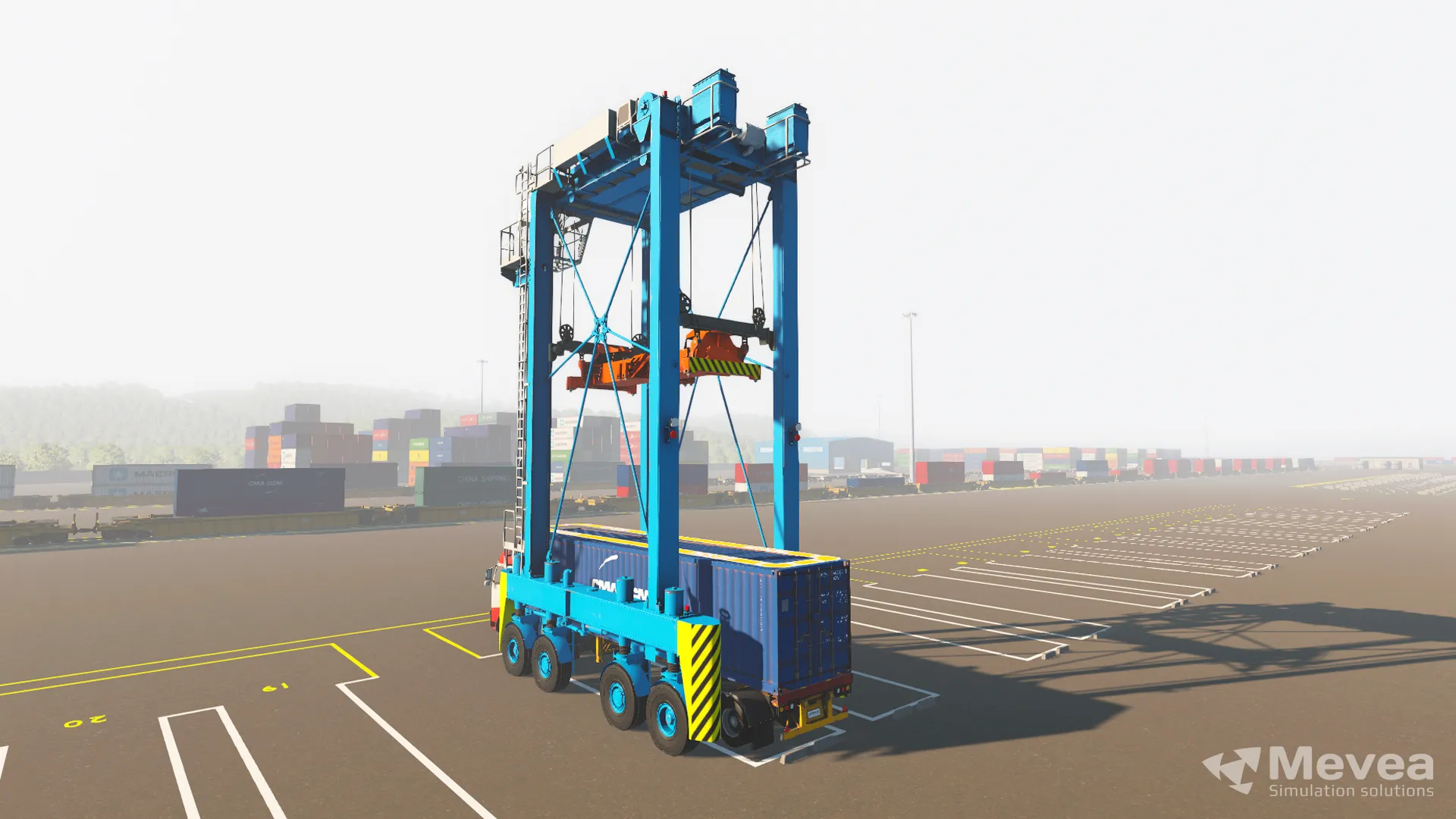
- Straddle carriers
- Terminal tractors and internal transfer vehicles
- Offshore crane variants where relevant to your operation
If your terminal is moving toward automation or remote operations, also ask whether the vendor supports heavy equipment training simulator solutions for remotely operated equipment. This is an increasingly relevant capability as terminals adopt hybrid human-automated workflows in 2026 and beyond.
What questions should you ask a vendor about long-term support and updates?
Long-term support is where many simulator investments either pay off or disappoint. The hardware may last a decade, but the software and content need to keep pace with real-world equipment changes, new training requirements, and evolving terminal technology. Before signing, ask every prospective vendor these specific questions:
- How frequently is the training software updated, and what triggers an update? Look for a vendor with a structured release cycle tied to real equipment changes, not just bug fixes.
- How are equipment model updates handled when OEM specifications change? If the crane manufacturer updates a control system, your simulator should reflect that.
- What is the support response time for technical issues? Downtime during a training programme is costly. Understand whether support is regional or handled remotely from a single location.
- Is the instructor station software updated independently of the simulator core? Instructor tools often need updates faster than the physics engine.
- What is the vendor’s roadmap for autonomous and remote operations training? A vendor without a credible answer here may not be the right long-term partner as your terminal modernises.
Also ask for references from customers who have been using the system for five or more years. Their experience with the vendor’s support responsiveness and update quality is more reliable than any sales promise.
How do you calculate the ROI of investing in a port simulator?
ROI on a port equipment simulator is calculated by comparing the total cost of the simulator investment against the measurable savings and productivity gains it generates over its operational life. The calculation is more straightforward than many assume because the cost drivers it replaces are well-defined.
On the cost-saving side, quantify:
- Reduced equipment wear during training: Every hour of crane or reach stacker time saved in training directly reduces maintenance costs and extends equipment life.
- Lower fuel consumption: Real equipment training burns fuel; simulator training does not.
- Fewer training-related incidents: Damage to containers, equipment, and infrastructure during operator training is a measurable cost that simulator training significantly reduces.
- Reduced downtime of productive equipment: Machines kept in operation rather than used for training generate revenue.
On the productivity gain side, consider that operators trained on high-fidelity simulators typically reach competent performance levels faster than those trained exclusively on live equipment. More moves per hour from better-prepared operators compounds over time into significant throughput gains.
A practical starting point is to log your current annual cost of live-equipment training, including fuel, maintenance uplift, incident costs, and lost productive hours, and compare that against the annualised cost of the simulator over its expected lifespan. For most terminals running regular training programmes, the payback period is well within the first few years of operation.
Ready to find the right simulator solution for your terminal?
Choosing the right port simulator is a long-term investment that directly affects operator performance, training costs, and terminal productivity. If you have questions about simulator configurations, equipment coverage, or how to build a business case for your operation, the Mevea sales team is ready to help. Contact us today to discuss your training requirements and find the solution that best fits your terminal’s needs.
This content was generated with the help of AI and it may contain mistakes